Microsoft Sentinel Pricing in 2026: What You Pay For, and How to Stop Paying for Data Nothing Reads
Microsoft Sentinel pricing explained: analytics and data lake tiers, per-GB rates, commitment tiers and free data. Plus why the tier you choose decides what you can detect.


Microsoft Sentinel pricing looks simple on the page: you pay for the data you send it. The hard part is everything the price list doesn't tell you. Which of that data does a detection actually read? Which tier should each table live in? And what happens to your coverage when someone moves a noisy table to the low-cost tier to get the bill down?
Those questions sit in the gap between the SIEM and the SecOps program. Sentinel isn't the problem. The problem is that, in most programs, nothing connects what you pay to ingest to what you need to catch.
This guide covers how Sentinel is priced in 2026, what's free, and where the bill quietly grows. Then it covers the part competitors' pricing pages skip: the tier you choose decides what you can detect.
How Microsoft Sentinel pricing works (2026)
Sentinel bills mainly on data volume, in two tiers: the analytics tier, where detections run, and the data lake tier, built for low-cost, long-term storage and occasional queries. Since July 2023, new workspaces use simplified pricing, where one Sentinel price covers both Sentinel and Log Analytics ingestion. Workspaces created before then may still be on classic pricing, with separate Log Analytics charges.
All prices below are Microsoft list prices for East US in US dollars, checked on November 9, 2026, before any enterprise agreement discount. Prices vary by region. Check the Microsoft Sentinel pricing page for your region.
Analytics tier: pay-as-you-go and commitment tiers
Pay-as-you-go costs $4.30 per GB ingested. Commitment tiers trade a fixed daily volume for a lower effective rate per GB, from 100 GB to 50,000 GB a day.
| Tier | Price per day | Effective price per GB | Saving vs pay-as-you-go |
|---|---|---|---|
| Pay-as-you-go | n/a | $4.30 | n/a |
| 50 GB/day (preview, promotional) | $161.25 | $3.23 | 25% |
| 100 GB/day | $296 | $2.96 | 31% |
| 200 GB/day | $548 | $2.74 | 36% |
| 500 GB/day | $1,265 | $2.53 | 41% |
| 1,000 GB/day | $2,480 | $2.48 | 42% |
| 5,000 GB/day | $11,550 | $2.31 | 46% |
| 10,000 GB/day | $22,240 | $2.22 | 48% |
| 50,000 GB/day | $102,600 | $2.05 | 52% |
Intermediate tiers (300, 400, 2,000 and 25,000 GB a day) follow the same curve. How the tiers work, per Microsoft's billing docs:
- Billing is daily. Anything above your tier is billed at that tier's discounted effective rate, not at pay-as-you-go.
- You can raise a tier at any time, which restarts a 31-day commitment period. You can only lower it, or go back to pay-as-you-go, once that period ends (Reduce costs).
- Tiers apply per workspace, or per dedicated cluster if the workspace belongs to one.
- The 50 GB tier is a public preview promotion that runs from October 1, 2025, to December 31, 2026. Customers who sign up in that window keep the promotional price until March 31, 2027.
A useful rule of thumb from the table: the 100 GB tier costs $296 a day, which is what about 69 GB a day costs at pay-as-you-go. Once steady volume passes that point, the commitment tier costs less even if you never fill it.
Data lake tier
The data lake tier became generally available with its own meters, effective October 1, 2025:
| Data lake meter | Price |
|---|---|
| Ingestion (tables set to data lake only) | $0.05 per GB |
| Data processing (filtering, splitting, redaction, normalization) | $0.10 per GB |
| Storage | $0.026 per GB per month, on compressed size (Microsoft assumes 6:1) |
| Query | $0.005 per GB of uncompressed data scanned |
| Advanced data insights (notebooks) | $0.15 per compute hour |
Analytics-tier data is also mirrored into the lake at no extra charge. You pay lake ingestion only for tables that go to the lake alone (Data lake FAQ).
Basic and Auxiliary logs: where they stand now
Basic and Auxiliary logs still exist as Azure Monitor table plans, billed at flat per-GB rates, but Microsoft says they aren't being enhanced further. Once a workspace is onboarded to the data lake, Auxiliary tables move into the lake and bill on lake meters, and archive data bills on lake storage. Basic tables don't migrate: to manage them in the Defender portal you change them to the Analytics plan. For new designs, the real choice is analytics or lake.
Retention
Analytics-tier data is retained up to 90 days at no extra charge. Beyond that, long-term retention is billed at $0.10 per GB per month. You can extend analytics retention to two years, and total retention in the data lake to 12 years (data tiers and retention).
What's free in Microsoft Sentinel
- Free data sources: Azure Activity logs, Office 365 audit logs (including SharePoint activity, Exchange admin activity and Teams), Sentinel health data, and security alerts from Defender XDR, Defender for Cloud, Defender for Endpoint, Defender for Office 365, Defender for Identity and Defender for Cloud Apps. The alerts are free; much of the raw Defender and Entra ID log data behind them isn't.
- Microsoft 365 E5, A5, F5 and G5 (and E7) benefit: up to 5 MB per user per day of free ingestion for Microsoft 365 data, including Entra ID sign-in and audit logs and Microsoft 365 advanced hunting data (offer details).
- Defender for Servers: a data allocation of 500 MB per server per day for security event
tables such as
SecurityEvent(Azure Monitor cost docs). - Free trial: the first 10 GB a day on the analytics tier is free for 31 days.
Check which benefits you're actually receiving. A grant you don't claim is spend you don't need.
The tier you choose decides what you can detect
This is the part of Sentinel pricing that matters most, and pricing pages rarely mention it. Microsoft's log ingestion guidance is direct:
"You can't run analytics rules or custom detections on data in the data lake tier. If you ingest logs only into the data lake tier, those logs don't generate alerts."
And when you move a table from analytics to the lake, "all real-time analytics and hunting queries stop working." You can promote lake data back to analytics with a scheduled KQL job, but that runs on a schedule, not in real time, and the promoted data is billed as analytics ingestion.
So the gap between the analytics and lake prices isn't only a pricing decision. It's a detection decision, and it usually gets made without the detections in view. That cuts two ways:
- Data nothing reads stays in the analytics tier, at the full rate, because nobody knows it's safe to move.
- Data a rule depends on gets moved to the lake to hit a budget, and the rule goes quiet. No error, no alert, nothing.
Sentinel gives you good tools for acting on the decision. Filter and split transformations let you drop data before ingestion ("isn't ingested to either Analytics or Data lake tiers"), or keep only what matches a KQL expression in analytics and send the rest to the lake. What the tools can't tell you is which data your detections need. That's the gap.
It's not hypothetical. In a Microsoft Sentinel environment we measured for Paying for Silence: SIEM Waste Report 2026, one internal host retried four ports against one server 711 times a second, for two weeks: about 61 million denies a day, enough to double the firewall table. A volume-anomaly rule was enabled the whole time. It never fired. In the same environment, firewall detections written for Palo Alto, Zscaler and Fortinet could never fire at all, because the table they read held only Cisco ASA logs. The bill was paying for data no rule used, while rules watched for data that never arrived.
Where Sentinel waste hides
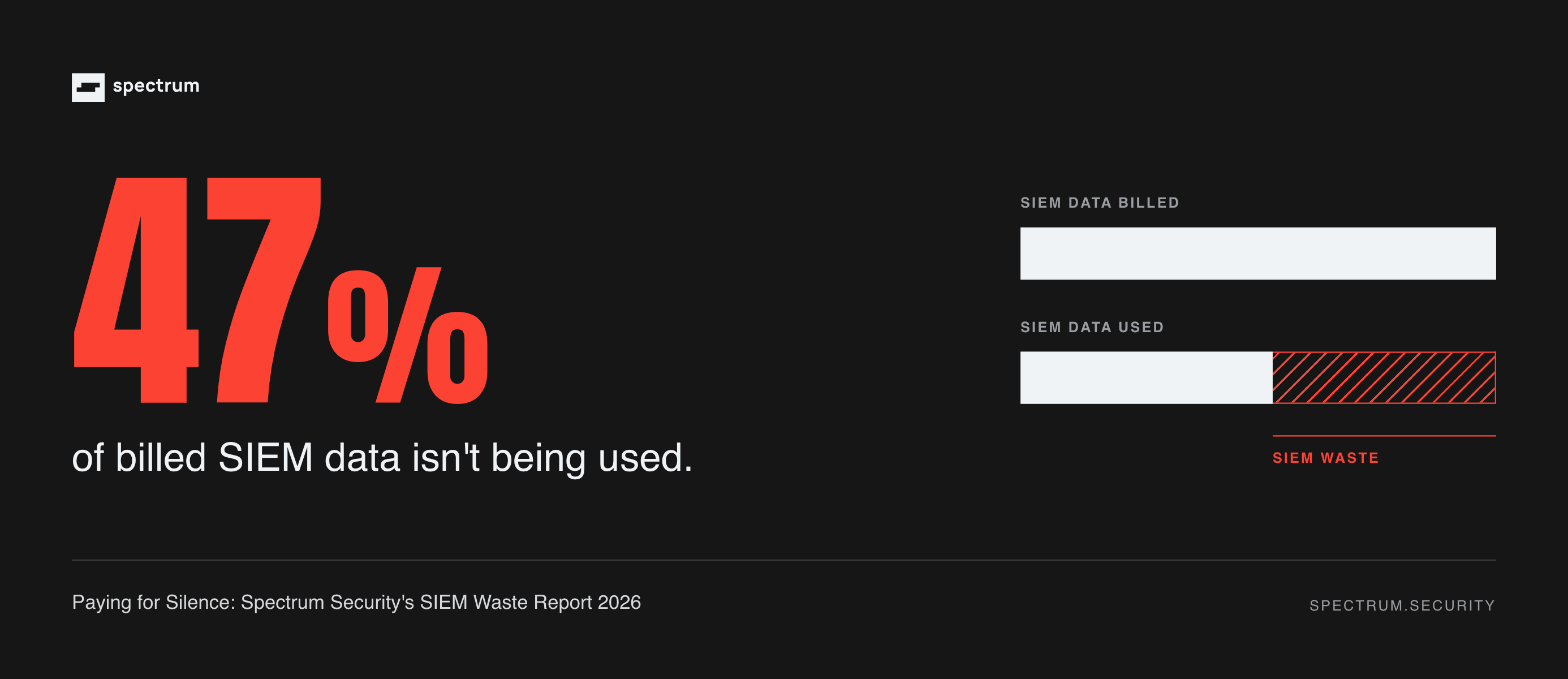
In the SIEM Waste Report, 47% of billed ingest in the median environment was read by nothing: no enabled detection, saved search or dashboard used it. The patterns behind that figure show up on every SIEM. In Sentinel, look for them in these tables:
| Waste pattern | Where it tends to show up in Sentinel |
|---|---|
| Firewall denies and both halves of every connection | CommonSecurityLog, AzureDiagnostics (Azure Firewall) |
| Machine-to-machine API calls | MicrosoftGraphActivityLogs, AuditLogs, cloud audit connectors |
| Endpoints maintaining themselves (updates, services, scheduled tasks) | SecurityEvent, WindowsEvent, DeviceProcessEvents |
| Heartbeats, health probes and polling loops | Syslog, CommonSecurityLog |
| Kubernetes auditing itself | AKSAudit, AKSAuditAdmin |
| Repeated errors nobody fixed | Any table: one misconfigured host or role, retried all day |
For the full list of ten patterns, with fixes for each, see Where your SIEM budget actually goes.
How to reduce Microsoft Sentinel costs without losing detections
- Measure by table, from Sentinel's own meter. Query the
Usagetable (for example, billable GB per day by data type) or open the Workspace Usage Report workbook (monitor costs). Estimates from raw event size can be well off what you're billed. - Map every table to what reads it. For each large table, list the analytics rules, hunting queries, workbooks and saved searches that use it, down to the event types and fields. A table with no readers is a candidate. A rule with no data is a coverage gap.
- Fix noise at the source first. A misconfigured host, a missing permission or a chatty script costs less to fix than to ingest. Data collection rules can filter Windows security events at the source, so only the events you select are sent.
- Filter what nothing needs; split what you only keep for investigations. Drop data with no detection or investigative use. Send data you need for hunting or compliance, but not for real-time detection, to the lake. Check every split against your rules first, since lake data can't trigger them.
- Right-size your commitment tier. Set it to your steady daily volume after cuts, not before, and review it monthly. You can raise a tier any time, but you can only lower it after 31 days.
- Claim every free benefit. Confirm the Microsoft 365 grant and the Defender for Servers allocation are applied, and keep non-security data in a separate workspace.
Repeat it on a schedule. New sources, new connectors and new threats keep changing the answer.
Is Microsoft Sentinel being phased out?
No. What's being retired is the Azure portal experience. After March 31, 2027, Sentinel will be available only in the Microsoft Defender portal (Microsoft moved the date back from July 1, 2026). According to Microsoft, moving to the Defender portal "has no extra cost," even without an E5 licence. It matters for cost work, though: filter and split transformations and the new data lake cost management both live in the Defender portal.
Close the gap, then size the bill
Commitment tiers lower the price per GB. The data lake lowers the price of keeping it. Neither tells you which data your detections need, and that's where the bill and the coverage are both decided.
Spectrum works in the Sentinel you already run. It ties every table to the detections and investigations that use it, checks every cut and every tier move against coverage before it's made, and puts the spend nothing was using toward new coverage, building and tuning detections so they keep up with new threats. Better coverage for less spend, without replacing anything. See how it works.
Before your next Sentinel renewal or tier change, get a SIEM Second Opinion. We'll show you where the gap is and what to fix first. And on December 15, join our live webinar, Before you renew or replace your SIEM.
FAQ
How much does Microsoft Sentinel cost per GB?
In East US, pay-as-you-go analytics ingestion costs $4.30 per GB. Commitment tiers bring the effective rate down to between $2.96 per GB (100 GB a day) and $2.05 per GB (50,000 GB a day). Data lake ingestion costs $0.05 per GB, plus $0.10 per GB for any processing. Prices vary by region and before any negotiated discount.
Is Microsoft Sentinel free?
No, but some data is. Azure Activity logs, Office 365 audit logs and alerts from Microsoft Defender products are free to ingest. Microsoft 365 E5, A5, F5 and G5 customers get up to 5 MB per user per day of free Microsoft 365 data, and there's a 31-day free trial of 10 GB a day.
What does the Microsoft Sentinel data lake cost?
$0.05 per GB to ingest into lake-only tables, $0.10 per GB for data processing, $0.026 per GB per month to store (on compressed size), and $0.005 per GB scanned by queries. Analytics data mirrored into the lake isn't charged again.
Can Sentinel analytics rules run on the data lake?
No. Microsoft's guidance says you can't run analytics rules or custom detections on data lake tier data, and logs ingested only into the lake don't generate alerts. Keep data your detections need in the analytics tier.
Does Microsoft 365 E5 include Sentinel?
E5 doesn't include Sentinel itself, but it includes a data benefit: up to 5 MB per user per day of free ingestion for eligible Microsoft 365 data, such as Entra ID sign-in and audit logs. You pay for everything else you ingest.
How do I reduce Microsoft Sentinel costs?
Measure ingest by table, map each table to the rules that read it, fix noisy sources at the source, filter data nothing uses, split investigative-only data to the lake, right-size your commitment tier, and claim free benefits. Check every change against your detections before you make it.